
Apple iPad Air 11-inch (M4) Review: A Powerful, Portable Tablet for Work and Creativity
The Apple iPad Air 11-inch (M4) combines a compact Liquid Retina display with Apple’s M4 chip, 128GB of storage, Wi-Fi 7 connectivity, Touch ID, and support for Apple Pencil accessories. This review examines its setup process, everyday usability, performance, cameras, battery expectations, strengths, and limitations for students, professionals, creatives, and general tablet users.
Introduction
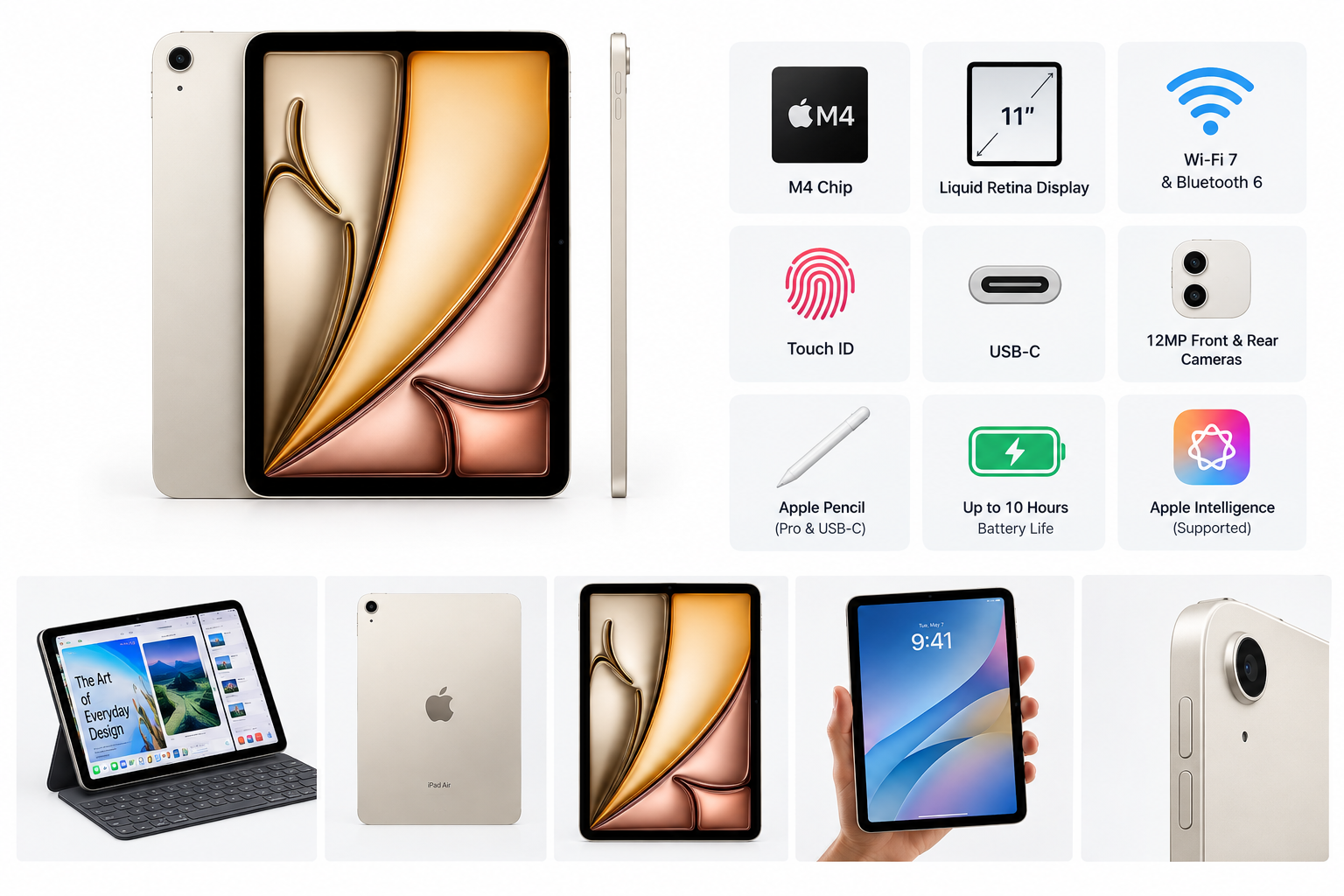
The Apple iPad Air 11-inch (M4), 128GB, Starlight is a premium tablet designed to balance portability with high-performance hardware. Its M4 chip gives it substantial processing capacity for multitasking, creative applications, video editing, gaming, and demanding productivity workflows, while the 11-inch Liquid Retina display keeps the device relatively easy to carry.
This Wi-Fi model includes Apple’s N1 wireless networking chip, Wi-Fi 7, Bluetooth 6, Touch ID, USB-C connectivity, and front and rear 12MP cameras. It is positioned above entry-level iPad models and offers many of the performance benefits associated with Apple’s higher-end hardware without the larger size of the 13-inch version.
Setup / Getting Started
Initial setup follows Apple’s familiar iPadOS process. Users can restore an existing iPad from an iCloud backup, transfer information from another Apple device, or configure the tablet as new. Apple Account integration makes it straightforward to synchronize photos, messages, files, passwords, and app data across compatible devices.
The Touch ID sensor is built into the top button and can be used for unlocking the iPad, authenticating purchases, and signing in to supported apps. The USB-C port handles charging, data transfer, and external-display connectivity. The tablet also supports Apple Pencil Pro and Apple Pencil with USB-C, although those accessories are purchased separately.
The 128GB capacity is suitable for general productivity, streaming, web browsing, note-taking, and a moderate app library. Users who regularly work with large video projects, extensive photo libraries, or many offline downloads may need to manage storage more carefully.
Daily Usage
The 11-inch size is one of the iPad Air’s most practical features. It provides enough screen space for split-screen multitasking, document editing, video calls, and media consumption while remaining comfortable to hold for extended periods. The 2360-by-1640 resolution, 264-pixel-per-inch density, wide P3 color, True Tone, and laminated construction support a sharp and natural-looking image.
The display reaches up to 500 nits and includes an antireflective coating, making it well suited to indoor use and many office or classroom environments. As with other LCD iPads, it does not offer the deep blacks or high contrast of an OLED panel, and users who prioritize a high-refresh-rate display may find the standard 60Hz experience less fluid than some competing tablets.
The landscape stereo speakers are useful for video calls, presentations, music, and streaming. Dual microphones support calls and recordings, while the front camera is designed for video conferencing features such as Center Stage. The rear 12MP camera is suitable for scanning documents, capturing reference images, and recording casual video.
Performance & Reliability
The M4 chip is the central reason to choose this iPad Air. Its multi-core CPU, 9-core GPU, Neural Engine, and hardware-accelerated media capabilities provide ample headroom for demanding applications. Everyday tasks such as switching between apps, editing documents, browsing with multiple tabs, and processing photos should feel responsive.
The hardware is also well suited to more intensive workloads, including digital illustration, music production, 4K video editing, 3D applications, and Apple Intelligence features supported by the operating system. The performance level is likely to remain useful for years, although the 128GB storage option may become the more noticeable limitation before the processor does.
Wi-Fi 7 support can improve wireless performance on compatible networks, while the Apple N1 networking chip is designed to manage modern wireless connectivity. Actual speeds depend on the router, network configuration, distance, and internet service. The tablet supports Wi-Fi connectivity only, so it requires a phone hotspot or another network when away from Wi-Fi.
Apple’s mature hardware and software ecosystem is a reliability advantage. Regular iPadOS updates, a broad accessory market, and long-term software support contribute to the device’s useful lifespan. As with any thin tablet, using a protective case is advisable if the iPad will be carried frequently.
What Works Well
- Strong performance: The M4 chip provides considerable power for productivity, creative work, gaming, and multitasking.
- Portable design: The 11-inch form factor offers a useful compromise between screen area and portability.
- High-quality display: The Liquid Retina panel delivers sharp text, wide color, True Tone, and accurate everyday visuals.
- Modern wireless connectivity: Wi-Fi 7, Bluetooth 6, and the Apple N1 wireless chip provide current-generation connectivity features.
- Useful biometric security: Touch ID makes unlocking and authentication quick without requiring a front-facing button.
- Accessory support: Compatibility with Apple Pencil Pro, Apple Pencil with USB-C, keyboards, and USB-C peripherals expands the tablet’s functionality.
- Versatile cameras: The 12MP front and rear cameras support video calls, document scanning, photography, and video recording.
- Good battery expectations: Apple rates the Wi-Fi model for up to 10 hours of web browsing or video playback, though real-world results vary by brightness, apps, network activity, and workload.
What Could Be Improved
- Base storage is limited for demanding users: 128GB is reasonable for general use but may feel restrictive for large media libraries or professional creative projects.
- No cellular connectivity in this model: Users who need built-in mobile data must choose a Wi-Fi + Cellular configuration or rely on tethering.
- Standard refresh rate: The display is sharp and colorful, but a higher refresh rate would make scrolling, gaming, and Apple Pencil interaction feel smoother.
- Accessories add to the complete setup: A keyboard, Pencil, or protective case can significantly expand the tablet’s capabilities but is not included with the basic device.
- LCD rather than OLED: The Liquid Retina screen is strong for most uses, but it cannot match OLED displays for contrast and black levels.
- Limited desktop replacement potential: iPadOS supports many professional workflows, but file management, windowing, and specialized software may still be less flexible than on macOS or Windows.
Overall Impression
The Apple iPad Air 11-inch (M4) is a capable and forward-looking tablet for users who want high performance in a compact design. Its M4 processor, sharp Liquid Retina display, Wi-Fi 7 connectivity, Touch ID, USB-C port, and Apple Pencil compatibility make it suitable for study, office work, digital creativity, entertainment, and long-term everyday use.
The 128GB configuration is best suited to users with moderate storage requirements, while professionals working with large files may prefer a higher-capacity model. The lack of cellular connectivity and a higher refresh rate are meaningful limitations for some buyers, but they do not undermine the tablet’s overall versatility.
For shoppers seeking a portable iPad with performance well above entry-level models, the iPad Air 11-inch (M4) is a strong all-purpose option. Its combination of processing power, software support, accessory compatibility, and manageable size makes it especially appealing to students, mobile professionals, artists, and households looking for a dependable premium tablet.