
ZER-LON Gaming PC Desktop (Core i5, Radeon R7 350, 16GB RAM, 512GB SSD) Review: Entry-Level Gaming and Everyday Power on a Budget
This review covers the ZER-LON Gaming PC Desktop Computer with an Intel Core i5 processor (up to 3.6GHz), Radeon R7 350 4GB graphics, 16GB RAM, and a 512GB SSD. It evaluates real-world performance for esports and light AAA gaming, productivity and office work, storage capacity, upgradability, and overall value. The article highlights who this system is best suited for, its main benefits and trade-offs, and key alternatives worth considering before you buy.
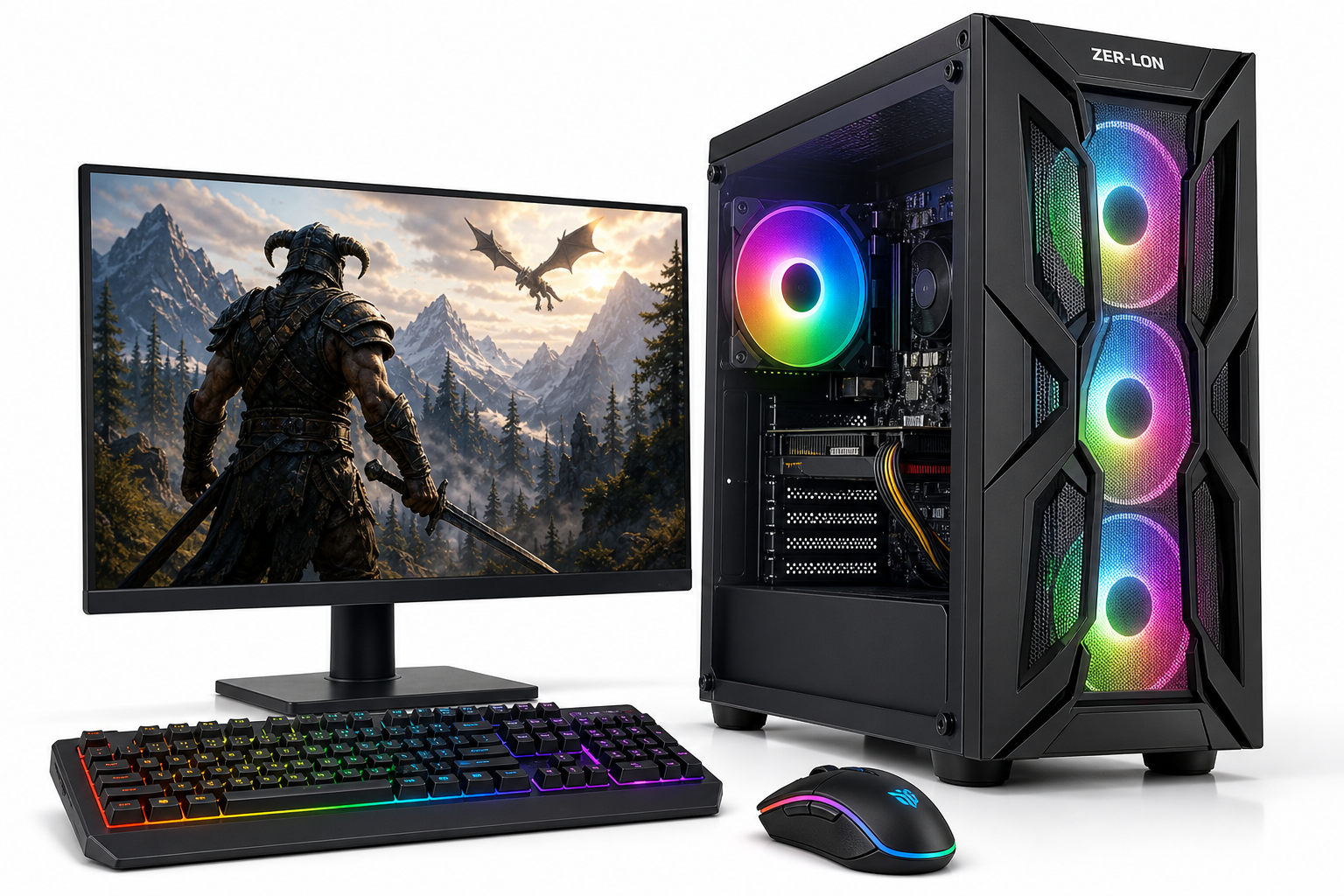
Product Summary
The ZER-LON Gaming PC Desktop Computer pairs an older-generation Intel Core i5 (up to 3.6GHz) with an AMD Radeon R7 350 4GB GPU, 16GB of RAM, and a 512GB SSD in a prebuilt tower design. It’s marketed as a gaming and office-ready machine that can handle esports titles, light content creation, and everyday productivity out of the box.
While the CPU and GPU are not cutting-edge, the inclusion of 16GB RAM and a solid-state drive helps keep the system responsive for multitasking, web browsing, and popular competitive games at modest settings. For buyers who prefer a plug-and-play desktop rather than building their own PC, it offers a straightforward way into PC gaming and general use at around $379.99.
Target Users
This ZER-LON prebuilt desktop is best suited for:
- New PC gamers on a tight budget who want to play esports and older or less demanding games without building a custom system.
- Students and home-office users needing a responsive desktop for browsing, office apps, video calls, and light creative tasks.
- Casual gamers playing titles like League of Legends, Valorant, CS:GO/CS2, Dota 2, Fortnite (on reduced settings), and similar games that are less GPU-intensive.
- Parents buying a first gaming PC for kids or teens, where plug-and-play simplicity and reasonable everyday performance matter more than ultra graphics.
It’s not ideal for:
- Players targeting high refresh-rate 1080p or 1440p performance in modern AAA games with high or ultra settings.
- Users planning to do heavy video editing, 3D rendering, or streaming on the same machine.
- Enthusiasts who want latest-gen hardware and strong upgrade headroom from day one.
Main Benefits
1. Ready-to-Use Prebuilt Convenience
Everything arrives assembled with Windows preinstalled (typically Windows 10 or 11, depending on the listing), so setup is mostly plug in, sign in, and install your games and apps. This is appealing if you’re not comfortable sourcing and assembling parts.
2. Solid Everyday Responsiveness
The combination of an Intel Core i5 and 16GB of RAM is well-suited for common tasks:
- Web browsing with many tabs
- Office applications and academic work
- Streaming video and music
- Light photo editing and basic content creation
The 512GB SSD keeps boot times and app launches quick compared to older HDD-based systems.
3. Esports and Light Gaming Capability
The Radeon R7 350 4GB is an entry-level dedicated GPU, but it’s still a step up from integrated graphics on older office PCs. Expect:
- Playable 1080p performance in esports titles (League of Legends, Dota 2, Valorant, CS:GO/CS2, Rocket League) at low-to-medium settings.
- Older or less demanding single-player games running acceptably at 1080p with tuned-down graphics.
It’s not designed for high-fidelity modern AAA games, but it can serve well for casual and competitive players who prioritize frame rate over eye candy.
4. Generous RAM for Multitasking
Many budget prebuilts still ship with 8GB; this system includes 16GB, which makes a noticeable difference when:
- Running multiple apps (Discord, browser, game launchers, office tools) at once
- Keeping many browser tabs open
- Avoiding slowdowns and stutters from memory pressure
5. Basic Upgrade Path
Depending on the exact case and power supply used, you’ll typically have options to:
- Add a secondary storage drive (HDD or SSD) if 512GB becomes limiting
- Swap in a more capable GPU later, as long as power and space allow
- Upgrade to a larger SSD if you prefer all-solid-state storage
This means you can buy it as a starter system and extend its life with targeted upgrades.
Key Considerations
Before choosing this ZER-LON desktop, keep the following in mind:
-
Older-Generation Hardware
The Core i5 and Radeon R7 350 are previous-generation components. They’re adequate for basic gaming and everyday tasks, but they won’t match modern mid-range CPUs and GPUs in demanding workloads. -
Limited Modern AAA Performance
Newer graphically intense games will require low settings and resolution compromises, and some may simply be outside the realistic performance envelope of the R7 350. -
Unknown Exact Part Brands
Like many value prebuilts, details such as motherboard model, power supply wattage/efficiency, and RAM brand/speed may not be prominently specified. This can matter if you care about long-term reliability or ambitious future upgrades. -
512GB SSD Capacity
While 512GB is comfortable for Windows, core applications, and several games, many modern titles exceed 80–100GB each. You may need to manage your library actively or plan for additional storage in the future. -
Case Airflow and Noise
Budget gaming towers often rely on a small number of fans and basic airflow. Under heavy load, fan noise may be noticeable, and internal temperatures may be higher than on more premium builds with advanced cooling. -
Better Price-to-Performance Options with DIY
If you are open to building a PC yourself or buying refurbished enterprise desktops and adding a GPU, you can often get superior gaming performance for similar or slightly higher total outlay. The value here is mainly in convenience, not maximum frames-per-dollar.
Pros
- Plug-and-play prebuilt: No need to source parts or assemble; ready to use out of the box.
- 16GB RAM: Better multitasking capability than many entry-level prebuilts that ship with 8GB.
- 512GB SSD: Fast system drive for quick boots and snappy everyday use.
- Dedicated GPU (Radeon R7 350 4GB): A clear step up from older integrated graphics for esports and light gaming.
- Suitable for office, school, and casual gaming: Handles day-to-day workloads comfortably.
- Reasonable starter platform: Offers at least some path to upgrading storage and graphics later.
Cons
- Aging CPU and GPU architecture: Good enough for basics, but far from current-generation performance.
- Entry-level graphics: Struggles with modern AAA games, especially at high settings or resolutions.
- Potentially generic power supply and motherboard: May limit future GPU upgrades or long-term reliability compared with higher-end builds.
- Moderate storage capacity: 512GB fills quickly with large games; many users will eventually need extra drives.
- Limited transparency on component brands: Hard to assess exact build quality from the headline specs alone.
Alternatives
If you’re considering this ZER-LON desktop, it’s worth comparing it with a few alternative paths:
-
Newer-Generation Budget Prebuilts
Look for systems with:- A newer CPU (e.g., recent Intel Core i3/i5 or AMD Ryzen 3/5)
- A more capable GPU (such as entry-level GeForce GTX 16-series or Radeon RX 500-series/6000-series cards)
These often cost more than $379.99, but they can deliver a major jump in gaming performance and longevity.
-
Refurbished Business Desktop + Dedicated GPU
A common budget strategy is to buy a refurbished office PC (Dell OptiPlex, HP EliteDesk, etc.) with a 4th–8th gen Intel Core i5/i7 and then install a modest discrete GPU and an SSD if needed. This can sometimes outperform low-end prebuilts at similar total cost, but requires more hands-on work. -
DIY Build from Parts
If you’re willing to build your own system, you can often choose:- A modern entry-level CPU with integrated graphics to start
- A reliable power supply and known-brand motherboard
- A GPU upgrade later
This path offers more control and upgrade flexibility, though it does sacrifice the convenience of a ready-made solution.
When comparing, pay close attention to the GPU model, CPU generation, and power supply quality, as these will have the biggest long-term impact on performance and reliability.
Conclusion
The ZER-LON Gaming PC Desktop Computer (Core i5 up to 3.6GHz, Radeon R7 350 4GB, 16GB RAM, 512GB SSD) occupies a very clear niche: it’s a starter-level, convenience-focused prebuilt aimed at:
- New or casual PC gamers who mostly play esports or older titles
- Students and home users who want a responsive all-purpose desktop
- Buyers who prioritize ease of setup and an all-in-one purchase over squeezing out the absolute best performance per dollar
Its strengths are the 16GB of RAM, SSD-based storage, and dedicated but modest GPU, all of which combine to provide a smoother experience than basic office desktops or ultra-low-end mini PCs. The trade-offs come in the form of older hardware, limited AAA gaming capability, and uncertain upgrade headroom.
If you understand those limitations, primarily play less demanding games, and value plug-and-play simplicity, this ZER-LON desktop can be a practical, budget-conscious choice at around $379.99. Power users, aspiring streamers, or gamers focused on modern, graphics-intensive titles should, however, consider saving a bit longer for a more powerful configuration or exploring DIY and refurbished alternatives.