
LG 32GX870A-B Review: A Flagship 32-inch 4K OLED Built for Serious PC Gaming
The LG 32GX870A-B is a 32-inch UltraGear OLED gaming monitor that combines true 4K resolution with a 240Hz refresh rate and an ultra-fast 0.03ms response time. It adds a dual-mode feature that lets you switch between 4K at 240Hz and 1080p at 480Hz, making it flexible for both cinematic single-player titles and competitive esports. With AMD FreeSync Premium Pro, NVIDIA G-SYNC compatibility, DisplayPort 2.1, HDMI 2.1, USB-C with power delivery, and VESA DisplayHDR True Black 400, it targets enthusiasts who want cutting-edge motion performance and deep OLED contrast in a desktop-friendly 32-inch format. This review looks at real-world setup, daily use, performance, strengths, and limitations to help you decide if it fits your PC gaming setup.
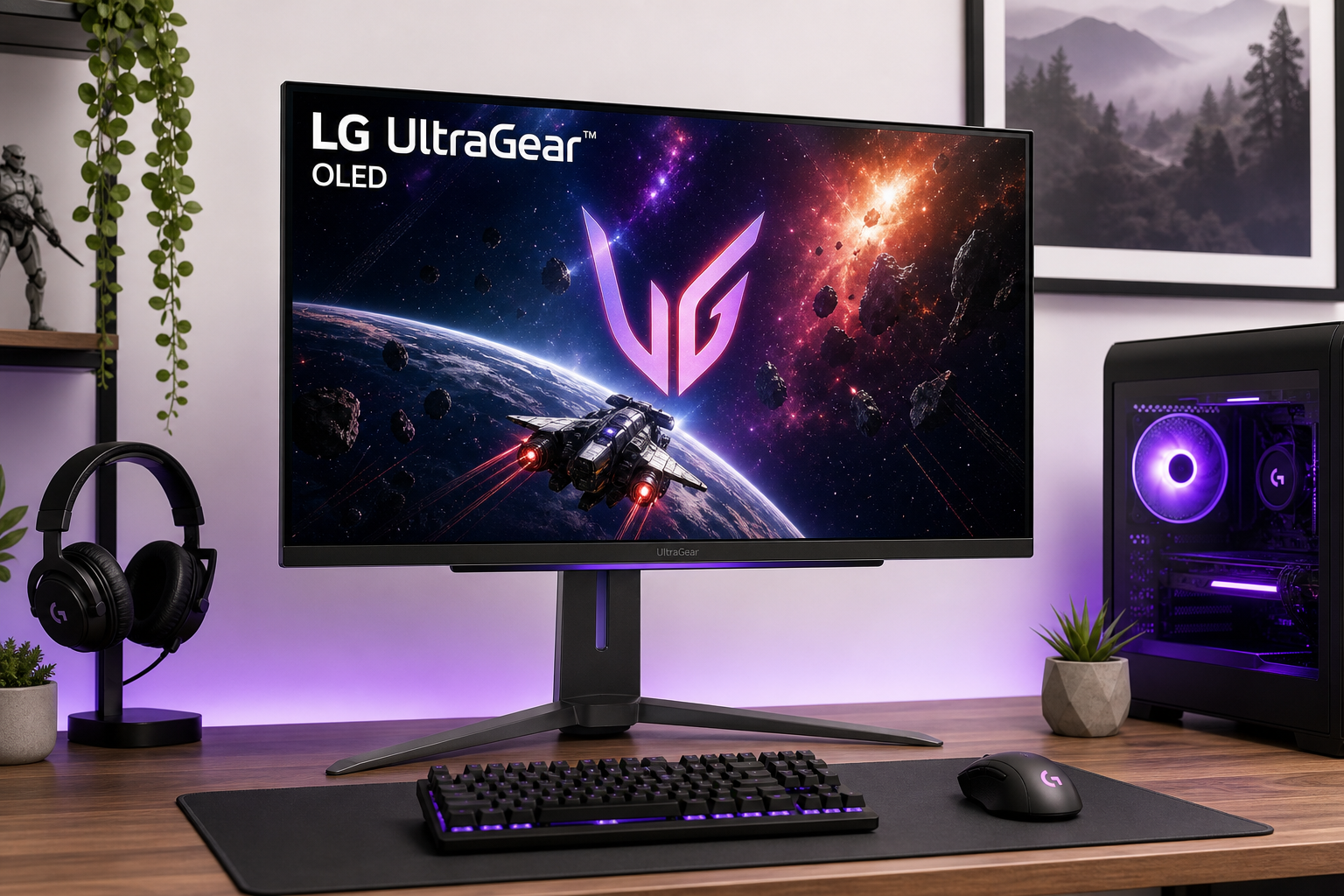
Introduction
The LG 32GX870A-B UltraGear is one of the most feature-packed 32-inch OLED gaming monitors currently available. It pairs a native 4K (3840 × 2160) resolution with a 240Hz refresh rate, 0.03ms GtG response time, and dual-mode operation that can switch to 1080p at 480Hz for ultra-high-frame-rate competitive play.
Beyond headline specs, it supports AMD FreeSync Premium Pro, is NVIDIA G-SYNC compatible, and carries VESA DisplayHDR True Black 400 certification. Connectivity includes DisplayPort 2.1, HDMI 2.1 ports suitable for modern GPUs and consoles, plus USB Type‑C with power delivery, making it a flexible centerpiece for a high-end gaming or mixed-use setup.
If you are weighing this display against other 32-inch OLEDs or high-end IPS 4K panels, the 32GX870A-B aims to deliver a blend of elite motion performance, excellent HDR contrast, and strong versatility for both PC and console use — at a premium price point around $849.99.
Setup / Getting Started
Physically, the LG 32GX870A-B follows the familiar UltraGear design language: angular stand, gaming-oriented accents, and a relatively slim OLED panel. The included stand typically offers height adjustment, tilt, swivel, and pivot, so it is easy to dial in ergonomic positioning on a standard desk. VESA mounting support is available if you prefer an arm.
Unboxing and assembly are straightforward:
- Attach the stand to the back of the panel with the included bracket.
- Lock the stand into place on the base.
- Connect video via DisplayPort 2.1 for PC use if you want full bandwidth at 4K 240Hz with VRR.
- For consoles, plug into HDMI 2.1 to enable 4K with variable refresh rate.
- Optionally, connect a laptop to USB-C for video, data, and power over a single cable.
In the on-screen display (OSD), you’ll find the key gaming features under clearly labeled menus:
- Dual Mode / Refresh Rate: toggle between 4K 240Hz and 1080p 480Hz.
- Game Modes: presets tuned for FPS, RTS, and standard usage.
- HDR settings: options to enable/disable HDR and fine-tune brightness.
- OLED care tools: pixel cleaning routines and screen-shift functions to mitigate image retention.
Calibration out of the box is typically decent for gaming, but if you care about color accuracy for content creation, you may want to fine-tune using standard tools or profiling software. The OLED panel provides deep blacks and a wide color gamut, so a basic calibration can make it suitable for light creative work alongside gaming.
Daily Usage
In everyday use, the 32GX870A-B feels like a genuinely high-end centerpiece.
Desktop and Productivity
At a 32-inch size, 4K resolution delivers sharp text and ample screen real estate. This makes it practical for programming, content creation, or multitasking with several windows open. Windows scaling at 125–150% keeps UI elements comfortably readable without sacrificing detail.
The matte anti-glare coating helps keep reflections under control in brighter rooms, while still preserving much of the perceived contrast and clarity that OLED is known for. If you are coming from a glossy OLED TV, it may look slightly less punchy in direct light, but the trade-off is reduced glare and more consistent visibility.
Media and Streaming
For movies, streaming, and HDR video, the OLED panel’s near-infinite contrast and per-pixel dimming deliver deep blacks and vibrant highlights. HDR content benefits from the panel’s high instantaneous contrast and the True Black 400 certification, making dark scenes look significantly richer than on typical IPS gaming monitors.
Wide color gamut coverage also helps modern HDR shows and films look saturated without appearing cartoonish when properly configured.
Gaming Experience
Where the 32GX870A-B really stands out is in gaming:
- In 4K 240Hz mode, single-player and cinematic titles look incredibly sharp and fluid if your GPU can drive higher frame rates.
- In 1080p 480Hz dual-mode, competitive shooters and fast-paced esports titles gain an ultra-smooth motion feel that is particularly noticeable for players sensitive to motion blur and input latency.
Variable refresh rate support (FreeSync Premium Pro and G-SYNC compatibility) helps eliminate tearing and reduce stutter, especially in demanding games where frame rates fluctuate. Input lag is extremely low, so the monitor keeps up with high-end GPUs and fast inputs.
If you connect a current-generation console, you still benefit from 4K with VRR and HDR via HDMI 2.1, though consoles typically won’t exploit the full 240Hz/480Hz capabilities.
Performance & Reliability
Image Quality
The 32GX870A-B’s OLED panel offers:
- Deep blacks with per-pixel lighting control.
- High perceived contrast in both SDR and HDR.
- Fast pixel response that virtually eliminates traditional motion blur.
- Wide color gamut suitable for HDR gaming and media.
Fine details in 4K are crisp, and text clarity is very good for an OLED gaming-focused display. For mixed use, this makes it more comfortable as a daily driver than some lower-resolution gaming monitors.
Motion and Latency
With a 240Hz refresh rate at 4K and 0.03ms GtG response, motion handling is a key strength. In competitive titles, fast camera pans and rapid character movement remain clear, and overshoot/ghosting artifacts are minimal compared to many high-refresh LCDs.
Switching to 1080p 480Hz mode pushes motion clarity even further, particularly for FPS and rhythm games where every frame counts. Not all users will see a dramatic improvement above 240Hz, but highly competitive players and those sensitive to motion may appreciate the extra responsiveness.
Connectivity and Features
The inclusion of DisplayPort 2.1 helps future-proof bandwidth needs for next-generation GPUs. HDMI 2.1 ports support consoles and multi-device setups. USB Type‑C with power delivery allows a modern laptop to plug in with a single cable for video, audio, and charging, broadening the monitor’s use beyond pure gaming.
The integrated OLED care features—like pixel refresh and screen shift—run automatically or on demand to reduce the risk of permanent image retention.
Reliability and Burn-in Considerations
As with any OLED monitor, there is some burn-in risk if you routinely display static HUDs, UI elements, or desktop layouts at high brightness for long sessions. LG mitigates this with:
- Automatic dimming of static elements.
- Pixel refresh cycles.
- Subtle image shifting.
In typical gaming and mixed-use scenarios, using reasonable brightness settings, enabling screen savers, and periodically running panel maintenance routines should keep the risk manageable. Still, heavy static-UI users (e.g., financial traders, always-on dashboards) may want to weigh this carefully.
What Works Well
- Outstanding gaming performance at both 4K 240Hz and 1080p 480Hz, giving flexibility for cinematic and competitive use.
- Near-infinite contrast and deep blacks from the OLED panel, dramatically improving HDR scenes and dark environments.
- Extremely fast response times (0.03ms GtG) that virtually eliminate motion blur and smearing.
- Variable refresh rate support across AMD FreeSync Premium Pro and NVIDIA G-SYNC compatible cards for smooth, tear-free gameplay.
- Strong connectivity: DisplayPort 2.1, HDMI 2.1, and USB-C with power delivery make it adaptable to modern PCs, laptops, and consoles.
- Ergonomic stand with height, tilt, swivel, and pivot, plus VESA mount support.
- Good SDR and HDR color performance, with wide color coverage suitable for both gaming and casual content creation.
- OLED care tools built into the firmware to help mitigate long-term image retention.
What Could Be Improved
- Price: The 32GX870A-B sits firmly in the premium bracket at around $849.99, which will be overkill for more casual players or those not pushing high-end GPUs.
- Burn-in risk: While mitigated by OLED care features, users with static content and very long daily uptime may still prefer a high-end IPS or mini‑LED panel.
- Brightness limitations vs. mini‑LED: Peak brightness is strong for an OLED gaming monitor but still typically lower than the brightest mini‑LED HDR displays, especially in full-screen bright scenes.
- 1080p 480Hz trade-off: The dual-mode feature is impressive, but running at 1080p on a 32-inch panel means lower pixel density; some users may find 1080p a bit soft compared to native 4K.
- Potential configuration complexity: Getting 4K 240Hz or 1080p 480Hz working optimally can require attention to GPU settings, cable quality, and firmware/driver updates.
Overall Impression
The LG 32GX870A-B UltraGear is a standout option for enthusiasts who want top-tier motion performance, deep OLED contrast, and the flexibility of dual-mode 4K 240Hz / 1080p 480Hz in a 32-inch form factor.
It is best suited for:
- PC gamers with high-end GPUs who can take advantage of 4K at high frame rates.
- Competitive players who value exceptionally smooth motion and low latency in 1080p 480Hz mode.
- Users who want a single display that can handle gaming, media, and productivity with excellent image quality and strong connectivity.
Those primarily concerned about long-term static-content burn-in or who do not need extreme refresh rates might be well served by more affordable IPS or mini‑LED alternatives. However, if you are willing to invest $849.99 in a monitor and are comfortable following basic OLED care practices, the 32GX870A-B delivers one of the most compelling 32-inch 4K gaming experiences currently available.